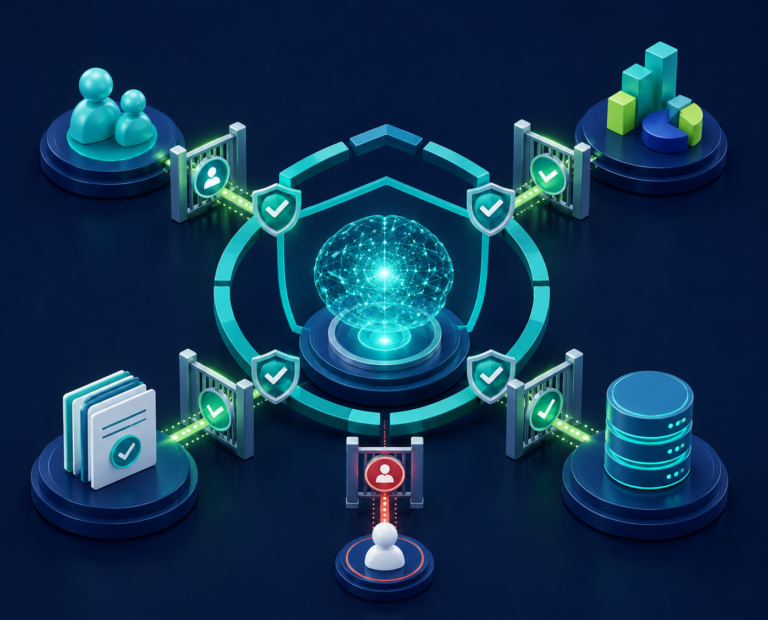
AI is not breaking your security model, it is putting it under pressure.
| AI is a force multiplier: it increases the value of strong controls and the impact of weak ones. |
AI is moving faster than governance
AI assistants and agents can search company information, work within a person’s access permissions and, in some cases, complete everyday tasks such as sending emails, updating CRM records or creating support tickets. Common security weaknesses, such as excessive user permissions or inadequate controls over sensitive data, become more serious when AI can operate at machine speed.
The gap is already visible. ISACA reported that 83% of European IT and business professionals believed employees in their organisation were using AI, but only 31% said their organisation had a comprehensive AI policy. Read the ISACA findings
Shadow AI: the risk you cannot see
Shadow AI means AI tools or features being used without business awareness or approval. It may be an unapproved AI assistant, such as ChatGPT, browser extension or AI agent, such as Claude for Chrome, or new AI function within existing software.
Browser based agents need particular care. Depending on how they are configured, they may be able to interact with services the user is already signed into, such as email, document storage or customer management systems. A malicious instruction hidden in an email, document or webpage could influence the agent’s behaviour and potentially cause it to take an unintended action.
IBM’s 2025 research found that one in five studied organisations reported a breach involving shadow AI. Organisations with high levels of shadow AI experienced average breach costs $670,000 (£500,000) higher than those with low levels or none.
The security foundations still apply
AI has not made existing controls obsolete, it has made them more urgent. Organisations still need to know:
- who, or what can access information
- whether that access is genuinely needed
- where sensitive information is held
- whether unusual activity can be detected and investigated
Buying a trusted AI service does not transfer responsibility. The provider secures its service, the customer remains responsible for access, configuration, information and use. The UK NCSC explains this shared-responsibility model
Four AI identity models
Applying these controls starts with understanding how each AI tool accesses information and systems. Different types of AI obtain access in different ways, so a useful starting point is to ask: whose identity and access is the AI using?
| AI TYPE | HOW IT GETS ACCESS | MAIN QUESTION |
| Built-in assistant – AI built into business software (M365 Copilot, Gemini for Workspace, Agentforce) | Uses the signed-in user’s access. | Can the user already see too much? |
| Business data assistant – AI connected to company data (Cortex, Bedrock, Vertex, custom GPT) | Uses a service account or application connection. | Is its access limited to its purpose? |
| Browser agent – Browser based AI agent (Claude for Chrome, Operator, Comet, Manus) | Works through websites and sessions available in the browser. | Which signed-in services could it reach? |
| Workflow agent – AI powered automated workflow (LangChain, CrewAI, n8n, MCP tool chains) | Uses several connected tools or systems. | Could one task trigger a higher-risk action? |
Three examples that show the risk is real
Different technologies, but the same underlying lesson: AI risk grows when identity, access and connected data are not tightly controlled.
| EXAMPLE | WHAT IT SHOWED |
| EchoLeak – Microsoft 365 Copilot | A crafted email could influence Copilot and expose limited information already available to the user. Microsoft fixed the issue. |
| Snowflake Cortex Search | Search results can use the service owner’s access rather than the person making the query, so access design matters. |
| AWS Bedrock AgentCore | Researchers found overly broad starter permissions could let a compromised agent reach other agent resources. |
Five things to remember
1. Existing access weaknesses become AI weaknesses. Reduce unnecessary access and overshared information.
2. Not all AI works in the same way. A chatbot, browser agent and automated workflow may need different controls.
3. Good governance still applies. Clear ownership, data classification and minimum necessary access remain essential.
4. Controls must work together. Access, data protection and monitoring cannot operate in isolation.
5. Progress should be structured. Build visibility and ownership before pursuing advanced automation.
Where do you stand? AI Governance Maturity
| LEVEL | POSITION | QUICK SELF-ASSESSMENT |
| 1 | Ad hoc | AI use is largely unknown and unowned. No AI inventory, no AI DLP. |
| 2 | Reactive | Basic rules and policies exist, but action follows problems. |
| 3 | Structured | AI is recorded in a registry, owned, assessed and shadow AI monitored. |
| 4 | Managed | Real-time monitoring and controls are continuous and measured. |
| 5 | Optimised | Controls adapt quickly as AI use and risk change. Governance as code. |
Ask four important questions
What AI are we using?
What information can it reach?
Whose permissions does it use?
Who is accountable for it?
If leaders cannot answer confidently, that is where the governance journey should begin.